
SMART SCHEDULING
See Your Whole Week at a Glance
Drag-and-drop calendar built for cleaning businesses. Schedule one-time jobs, recurring appointments, and team assignments — all from one screen.
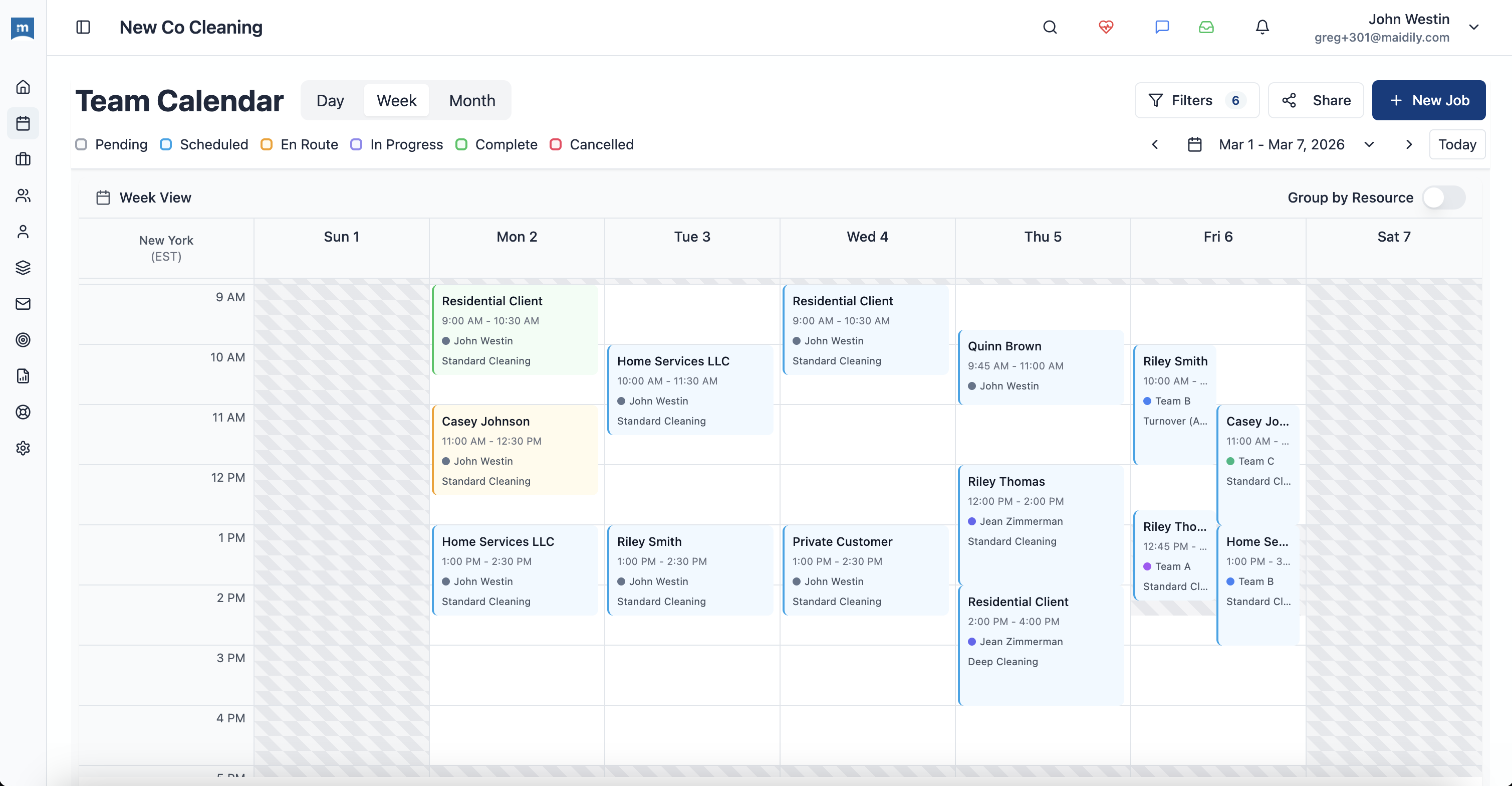
Three Ways to See Your Schedule
Zoom in for detail or out for the big picture. Switch between views with a single click.
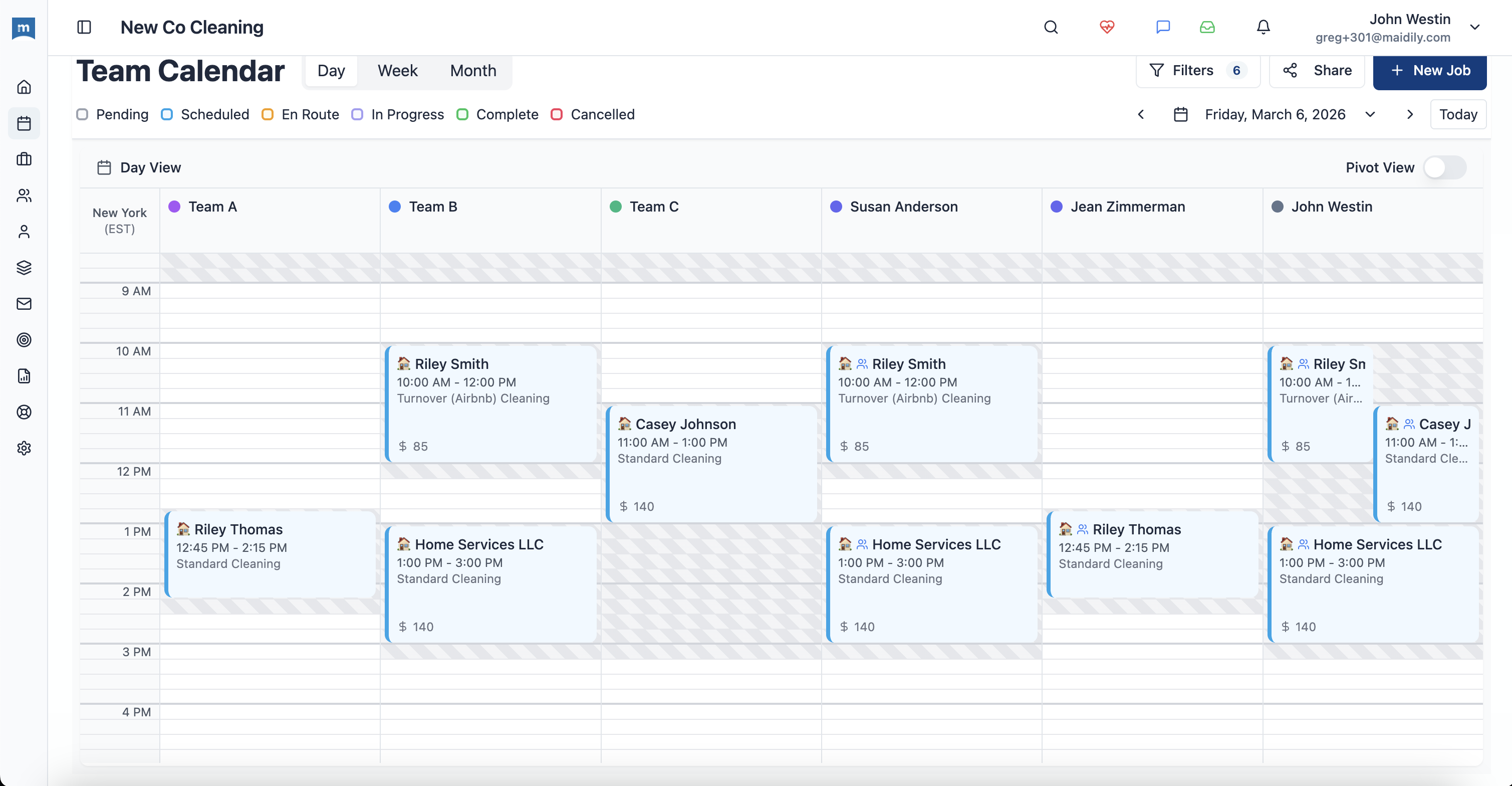
Day View
Hour-by-hour detail. See exactly who's doing what, when, and where.
Week View
The cleaning business default. See your whole team's week on one screen.
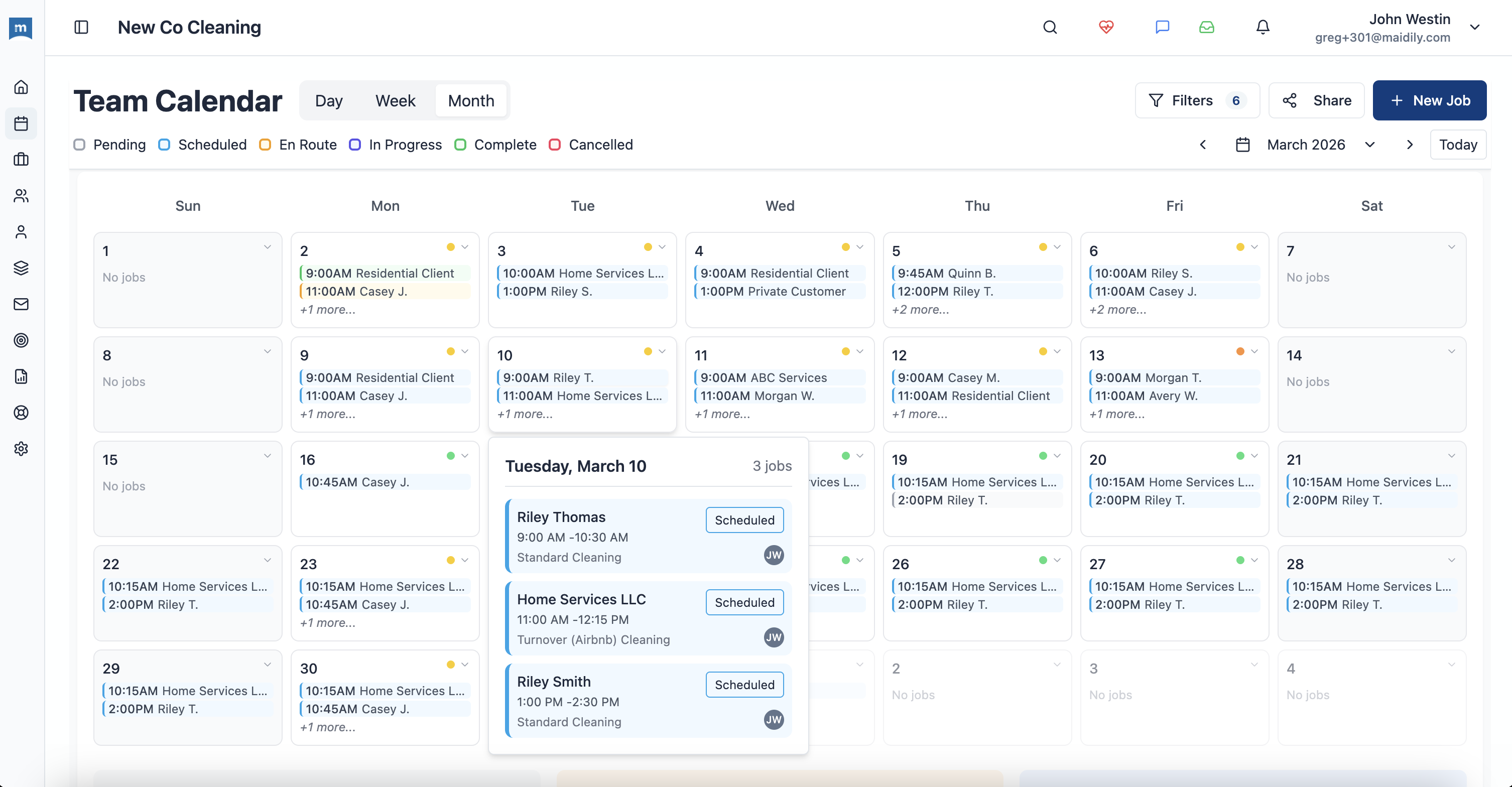
Month View
Plan ahead. See recurring patterns, gaps, and capacity at a glance.
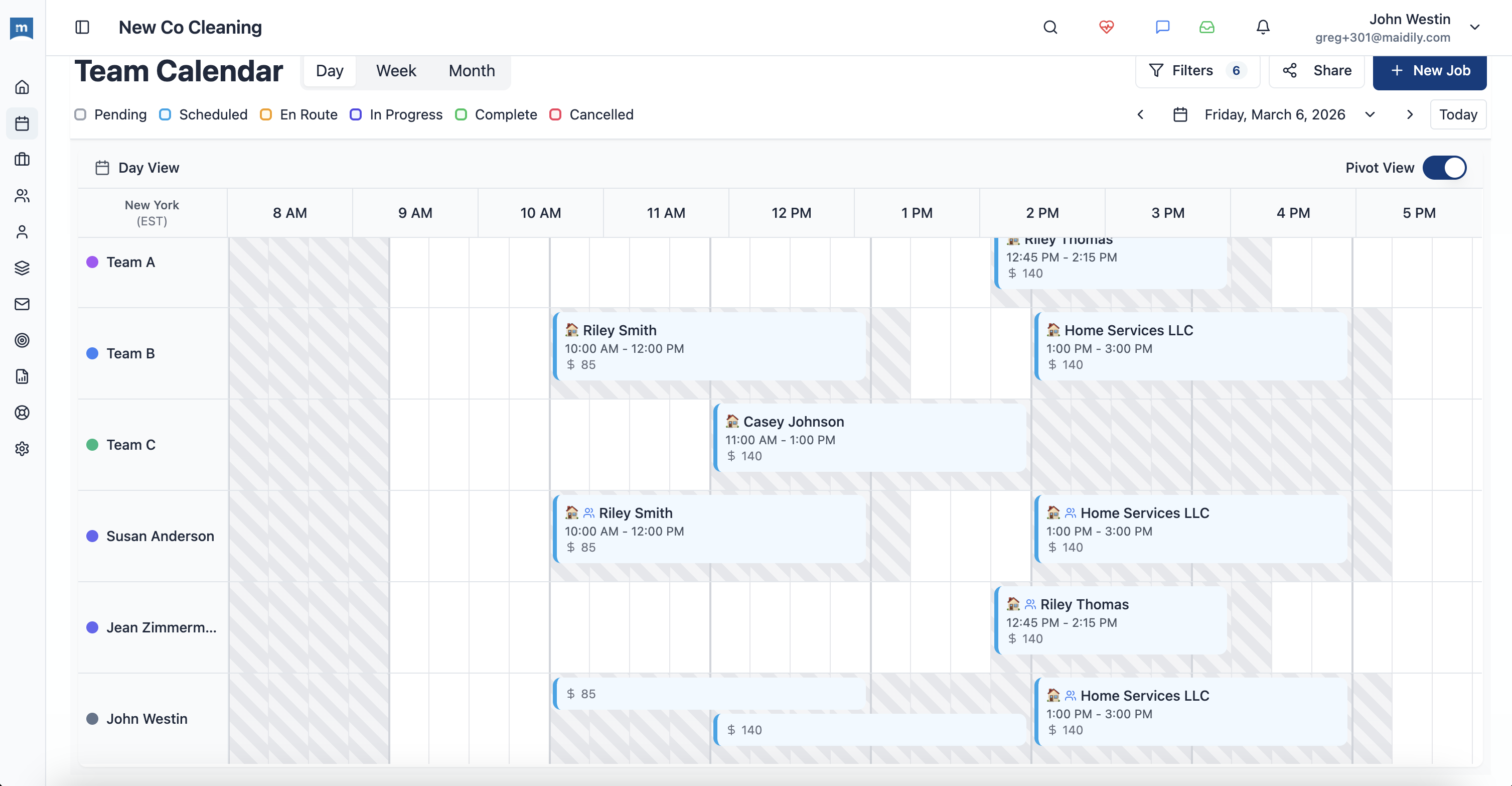
Drag, Drop, Done
Reschedule a job? Just drag it. Reassign a cleaner? Drop it on their column. No forms, no menus — just move things where they need to go.
Move jobs between days
Customer needs a different day? Drag it. Notifications update automatically.
Reassign between team members
Drop a job onto another cleaner's column. They get notified instantly.
Adjust time slots
Stretch or move to change start times and durations.
Automatic conflict detection
Drop a job on an occupied slot? Maidily warns you before it's a problem.
Every Cleaner Knows Exactly Where to Be
Assign jobs to specific cleaners or teams. See everyone's availability at a glance. No more double-bookings.
Team Availability
Assign by Skill
Some jobs need specific skills. Match cleaners to the right jobs based on experience and client preferences.
Conflict Alerts
Double-booked a cleaner? Overlapping jobs? Maidily catches it before you hit save.
Mobile Updates
Schedule changes push to your team's phones instantly. Everyone stays in sync.
Your Command Center
Everything about your schedule in one dashboard. Jobs, team, availability, and customer details — all at your fingertips.
Less
Scheduling Time
Drag-and-drop vs. manual booking
0
Double-Bookings
Automatic conflict detection
24/7
Online Access
Desktop, tablet, and mobile
Ready to Take Control of Your Schedule?
Start free today. Unlimited users, no per-seat fees, no credit card required.