
Run Your Business by Conversation
Create jobs, reschedule, check availability, send quotes, message customers — just say it.
- ✓ Setup in minutes
- ✓ Create & modify jobs in one message
- ✓ Works 24/7
Seven Things You Can Do Right Now
No menus. No forms. Just tell Maidily what you need and it handles the rest.
Full System Setup
Set up your entire account through a conversation. Services, pricing, team members, and business hours.
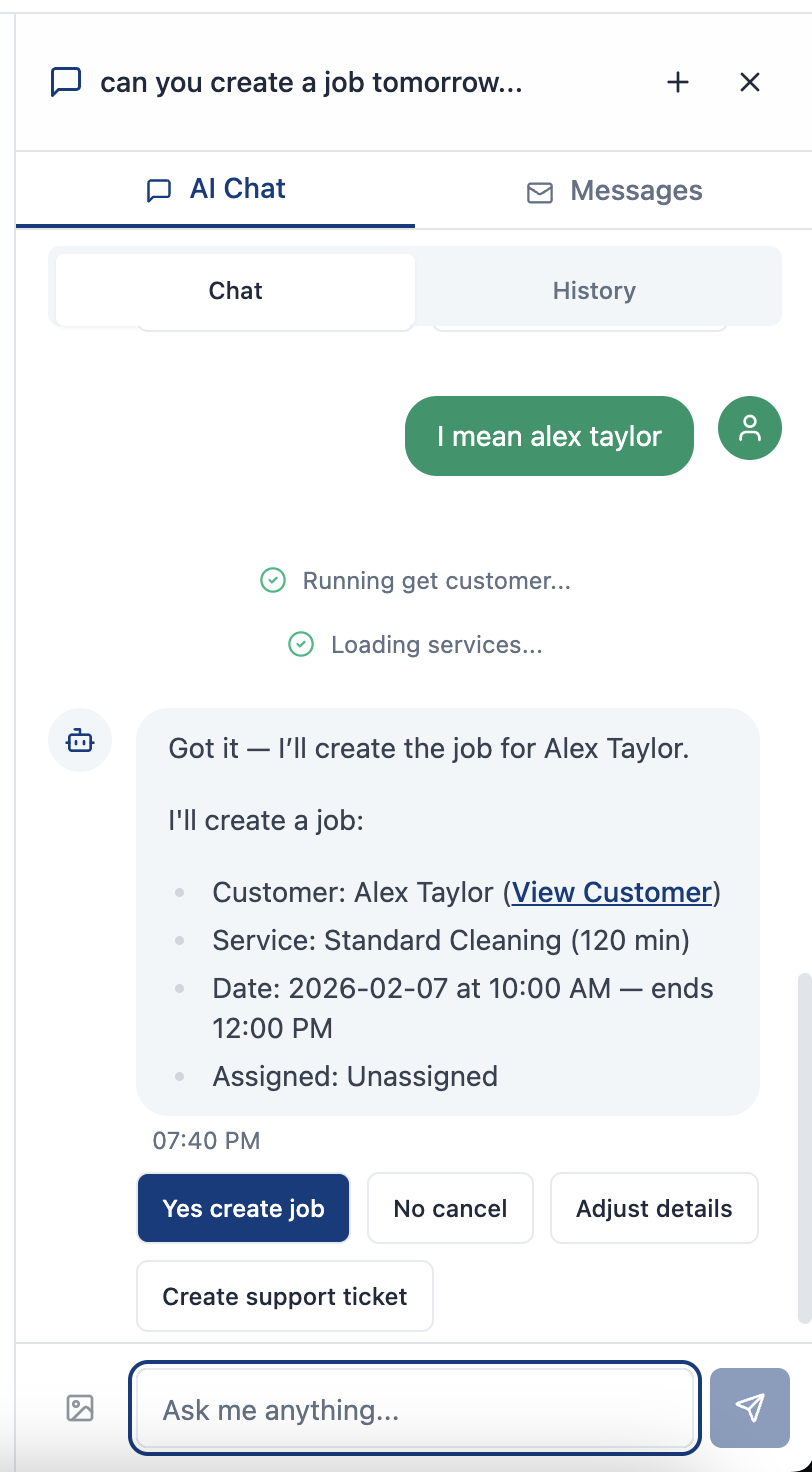
Create Jobs
One-time and recurring jobs by description. Just say who, what, and when.
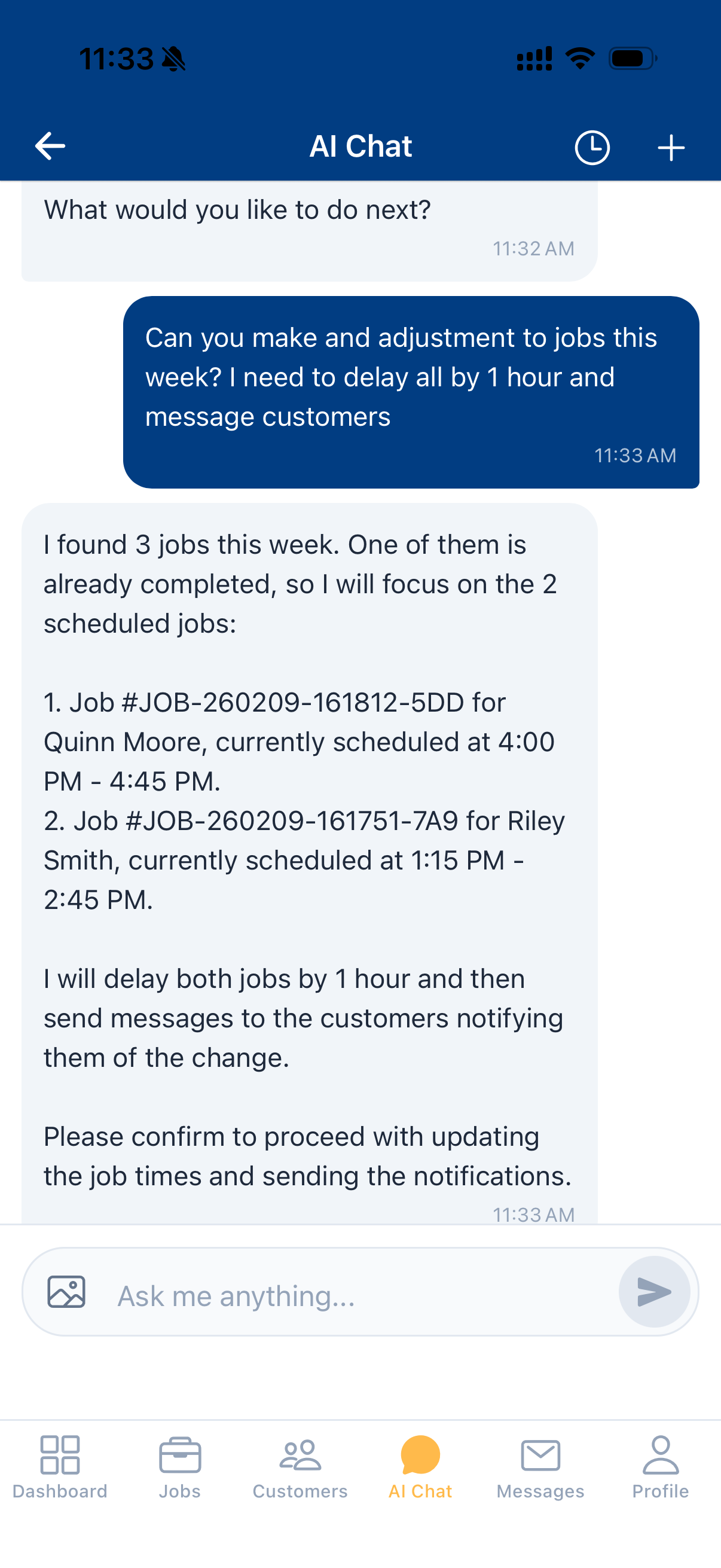
Modify Jobs
Reschedule, reassign, or cancel by conversation. No forms to fill out.
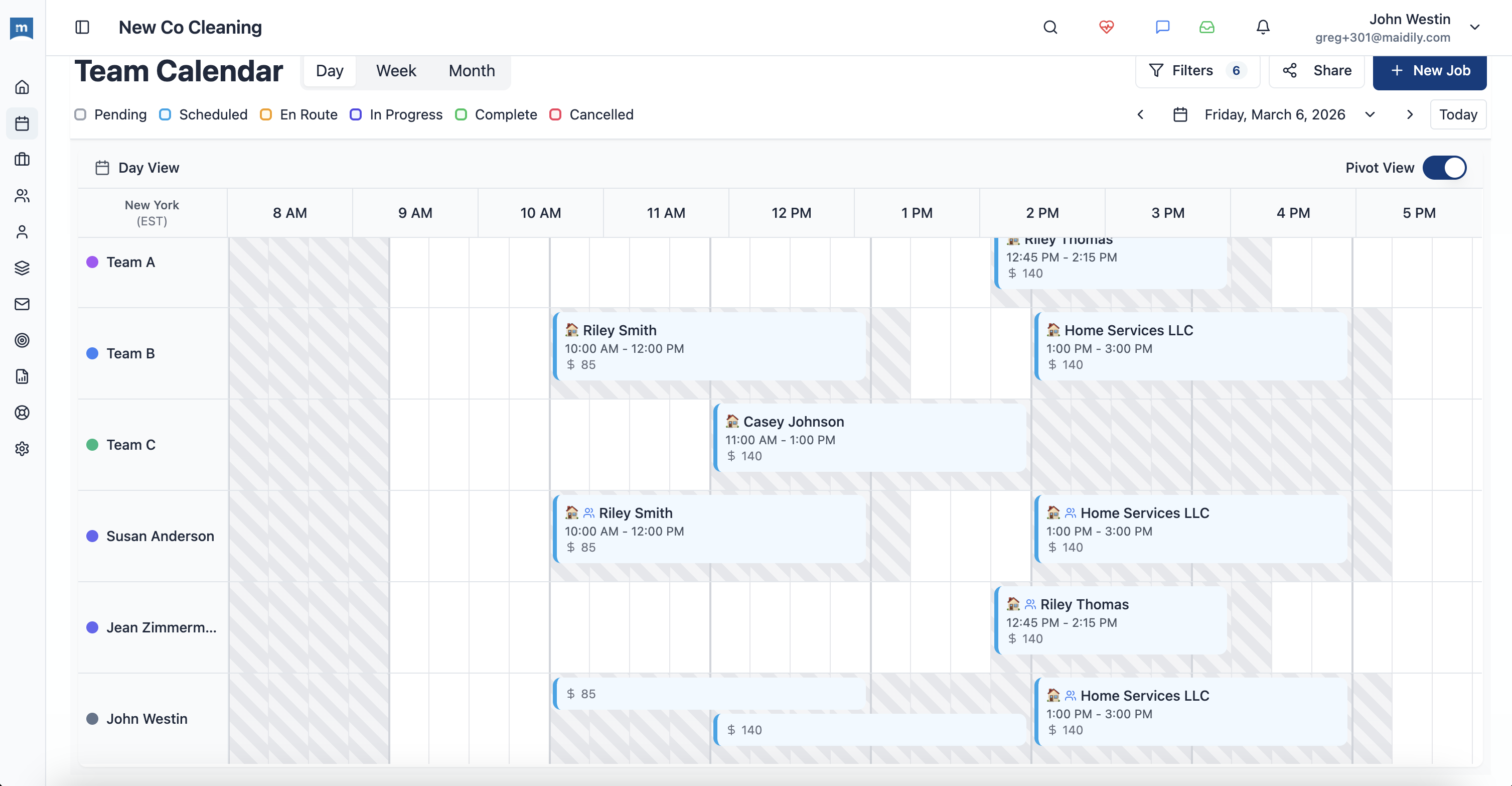
Availability Optimization
Find open slots, spot underutilized days, and balance your team's workload.
Conflict Detection
Automatically catches double-bookings and scheduling conflicts before they happen.
Create & Send Quotes
Build and send professional quotes to customers through a simple conversation.
Customer Messaging
Send messages to customers from your business number — all through the AI assistant.
See How It Works
A full workflow — from request to confirmation — in one conversation.
I need to schedule a deep clean for Mike Chen. He's flexible this week — what's available?
I found 3 open slots for a deep clean this week:
Which works best?
Thursday at 9 with Ana. Send him a confirmation and an invoice.
All set! Here's what I did:
✓ Created deep clean job for Thu, 9:00 AM
✓ Assigned to Ana L.
✓ Sent confirmation to Mike Chen
✓ Invoice generated and sent
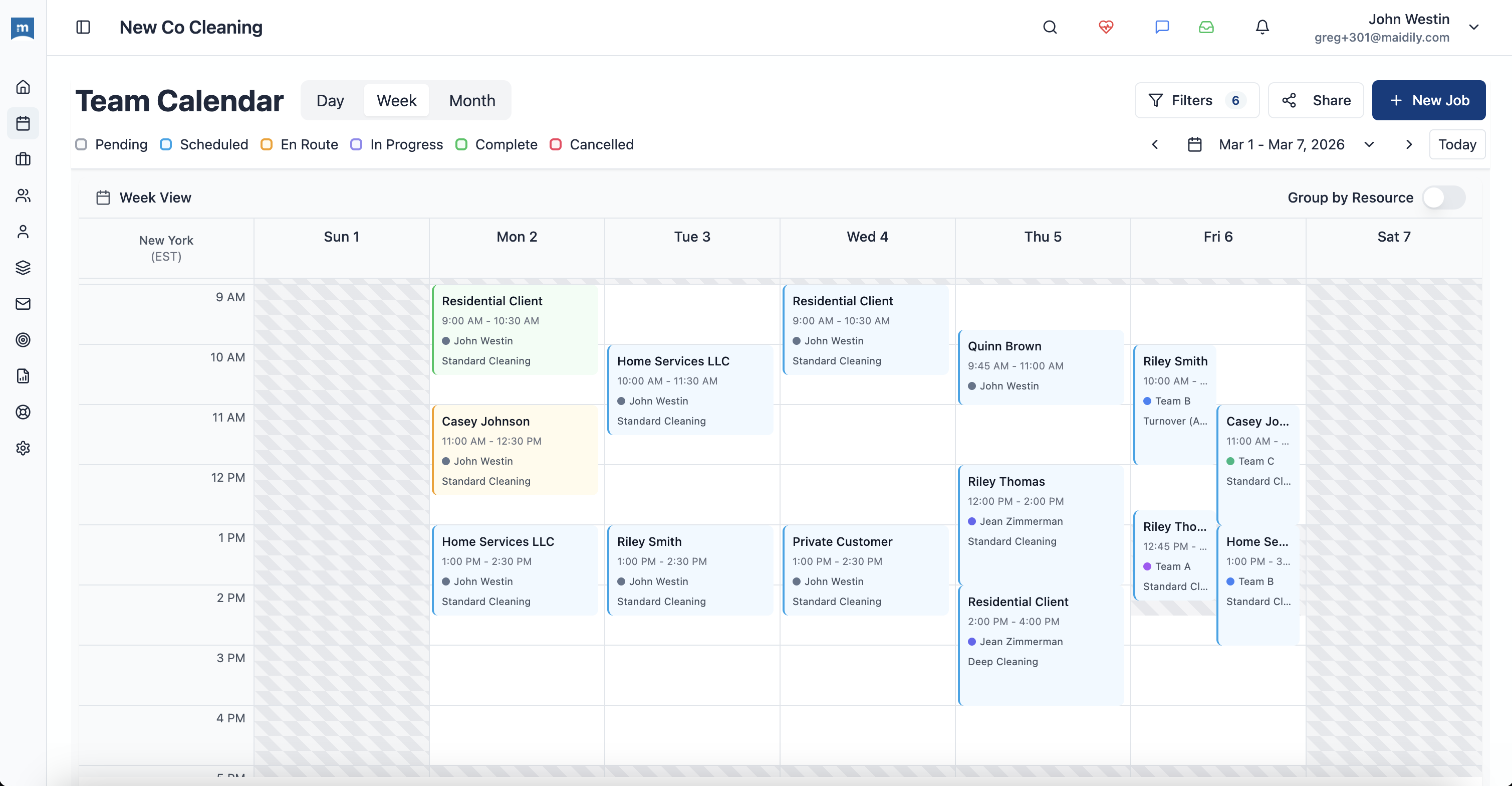
And here it is on your calendar
Your Morning, Reimagined
See how much time you save when AI handles the busy work.
Without AI
-
Check calendar manually
Open the app, scroll through days, find a slot
-
Create job by form
Fill out customer, service, date, time, team — field by field
-
Send notifications separately
Remember to text the customer and notify the team
-
Build quotes manually
Select services, add pricing, format, and send
-
~45-60 min daily
Just on scheduling and admin tasks
With Maidily AI
-
"What's open Thursday?"
AI checks your entire team's schedule instantly
-
"Book Sarah for a deep clean at 10"
One sentence creates the full job
-
Notifications sent automatically
Customer and team notified the moment you confirm
-
"Send Mike a quote for 3BR deep clean"
Quote built and sent in one message
-
~5-10 min daily
AI handles the rest while you focus on your business
~50 min
Saved per day
On scheduling and admin tasks
Seconds
To create a job
One message instead of multiple forms
24/7
Always available
Schedule jobs anytime, anywhere
And We're Just Getting Started
The AI assistant is getting smarter with every update. Here's what's coming next.
Automatic AI Responses
AI answers customer questions and confirms appointments automatically — even when you're busy or offline.
Autonomous Job Handling
AI accepts bookings, assigns teams, and schedules jobs on its own — running your business while you sleep.
Ready to Let AI Handle the Busy Work?
Start free today. Your AI assistant is ready to go — no setup required.